LG Monitor App Installer Sparks Privacy and Permission Concerns Among Premium Display Users

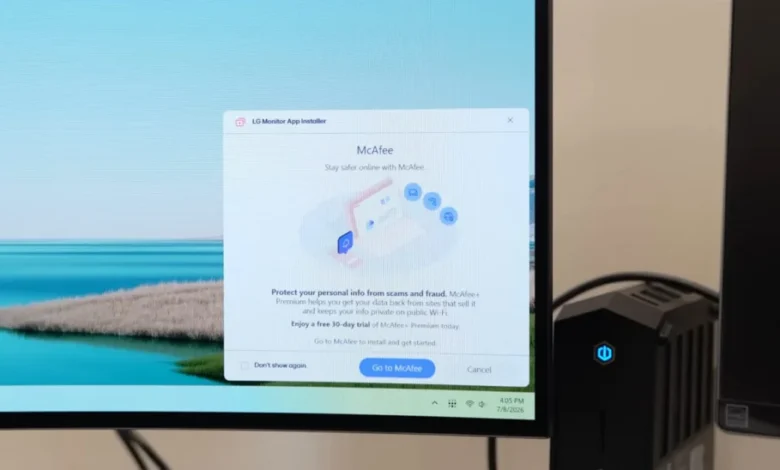
Users are reporting that the LG Monitor App Installer is appearing on their systems and displaying advertisements without any explicit user consent or notification from LG. This practice, particularly concerning given the premium pricing of many LG monitors, raises significant privacy issues and questions about the permissions granted to peripheral companion applications. The app, once installed, reportedly gains broad access to system resources and user data, including geolocation, device information, online activity, and potentially even sensitive credentials and transaction details, according to cybersecurity expert Burke.
This issue is not entirely new, with reports suggesting the practice has been ongoing for several years and has recently seen an uptick. Some users have noted the appearance of these intrusive ads on LG monitors purchased as far back as three years ago, indicating a potentially persistent and evolving strategy by the manufacturer. The situation also casts a spotlight on how operating systems like Windows handle the automatic installation of third-party software, particularly when bundled with hardware peripherals.
The stated purpose of the LG Monitor App Installer, as described on the Microsoft Store, is to "easily install and use apps supported by your monitor through LG Monitor App Installer." Among the listed supported applications is McAfee, a security software suite. However, the method of installation, often occurring silently in the background, bypasses standard user consent mechanisms, leading to user frustration and apprehension.
Background and Timeline of the Issue
The current wave of user complaints appears to have gained significant traction in recent weeks, amplified by reports from tech reviewers and online communities. While the exact genesis of the LG Monitor App Installer’s unsolicited installation remains somewhat unclear, its presence on users’ systems without overt permission has been a point of contention for some time.
Initial reports suggest that the LG Monitor App Installer began appearing on newer LG monitor models, but the recent concern stems from its apparent retroactivity, affecting devices that have been in use for years. This suggests a potential update or a shift in LG’s software deployment strategy. The fact that the app can be installed via Windows Update, as evidenced by screenshots shared by the tech outlet Gamers Nexus, further complicates the issue, as users often implicitly trust the integrity of the Windows Update process.
The timeline of the controversy can be roughly delineated as follows:
- Early Stages (Years Prior): Anecdotal reports of LG software appearing on systems without explicit user initiation may have existed, but likely did not reach widespread public attention.
- Recent Intensification: Within the past few months and weeks, a surge in user complaints has been observed across various online forums and social media platforms. This has been particularly amplified by investigative content from technology channels.
- Gamers Nexus Report: A pivotal moment in bringing this issue to the forefront was the detailed report and video from Gamers Nexus, which not only documented the unsolicited installation but also highlighted the broad permissions granted to the LG Monitor App Installer.
- Microsoft Store Listing: The app’s presence on the Microsoft Store, with its stated purpose and compatibility with various LG monitors, provides a central point for its distribution.
- Ongoing Investigation: Tech journalists and cybersecurity researchers are actively investigating the full scope of the issue, including the specific LG monitor models affected and the precise data collection capabilities of the app.
Technical Underpinnings and Microsoft’s Role
The mechanism by which the LG Monitor App Installer is being deployed without explicit user consent is linked to Microsoft’s Universal Windows Platform (UWP) device app policies. According to a Microsoft support page for Windows developers, UWP device apps can be configured to "automatically install when the user connects their device to the PC." This automatic installation feature is triggered under specific conditions:
- The user has not opted out of "Recommended Settings" during the Windows installation or setup process.
- The user is connected to the Internet.
- The user is signed into the Microsoft Store.
Critically, the Microsoft documentation itself acknowledges a potential downside to this feature: "The automatic installation feature does not provide a notification to the user when the app is installed. Some users may find this experience confusing and frustrating and give your app a bad rating." This statement from Microsoft suggests an awareness of the user experience issues associated with silent installations, yet the practice persists.
The implication here is that while LG is the vendor pushing the software, Microsoft’s platform policies enable and, in some ways, facilitate this type of installation. This raises broader questions about the balance between convenience for hardware manufacturers and the privacy rights and expectations of end-users.
Broader Concerns and Privacy Implications
The primary concern revolves around the lack of transparency and consent. Users purchasing high-end monitors, often investing upwards of $1,000, expect a premium experience that does not include unsolicited software installations and advertisements. The "LG Monitor App Installer," by its very nature, suggests a utility for managing monitor-specific features. However, its aggressive installation and broad data-gathering capabilities transform it into a potential privacy risk.
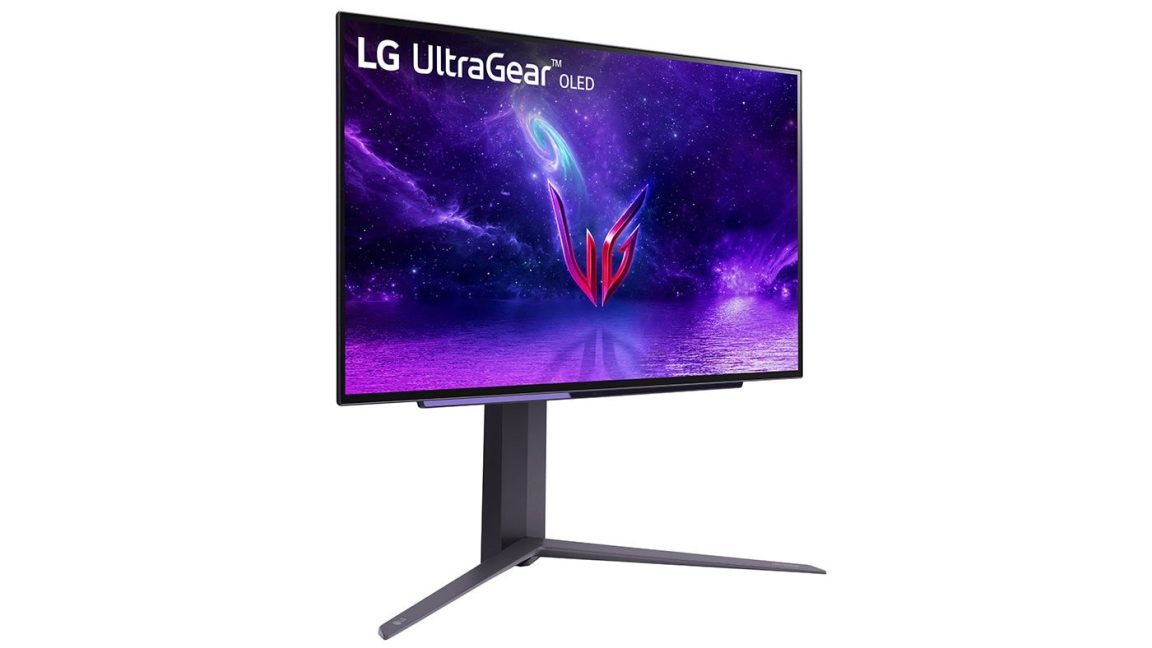
As highlighted by cybersecurity expert Burke, once the LG Monitor App Installer is on a system, "LG technically possesses permission to use ‘all system resources,’ as well as to ‘collect geolocation, device data, online activity, contacts, user credentials, transactions, and more.’" This extensive access is particularly alarming. While some data collection might be justified for improving product functionality or offering personalized features, the scope described is far-reaching and could potentially be exploited for marketing, profiling, or even more intrusive purposes.
The inclusion of McAfee as a "supported app" also raises questions about potential bundled software and the user’s ability to control what is installed on their system. While antivirus software is generally beneficial, its forced installation via a monitor’s companion app can be perceived as an attempt to monetize the hardware beyond its initial purchase price.
Precedent with Other Hardware Vendors
LG is not the first hardware manufacturer to face criticism for automatically installing unwanted software or "bloatware" on user systems. This practice has been observed across various categories of computer peripherals and components:
- Razer: The gaming peripheral giant has been criticized in the past for its software installations, which some users have found intrusive or resource-heavy.
- Logitech: Similarly, Logitech, known for its gaming and productivity peripherals, has faced user complaints regarding its software suite and the automatic installation of certain components.
- Asus and Gigabyte: Manufacturers of PC motherboards, such as Asus and Gigabyte, have also been called out for pre-installing or pushing software onto users’ systems that is often considered unnecessary bloatware, sometimes without clear opt-out options.
What makes the LG situation particularly egregious, according to some observers, is the context of high-priced monitors. Unlike a gaming mouse or a motherboard where companion software might be more readily accepted for customization, a monitor’s primary function is visual output. The necessity of a deeply integrated companion app that requires such extensive permissions is debatable for many monitor models.
Official Responses and Future Outlook
As of the time of this report, LG has acknowledged receipt of inquiries from media outlets regarding the LG Monitor App Installer issue. However, a comprehensive response detailing the company’s stance, the specific monitors affected, the intended purpose of the app, and their privacy assurances had not yet been provided. This lack of immediate clarification leaves users in a state of uncertainty and fuels further suspicion.
The situation also prompts a re-evaluation of user expectations and the responsibility of both hardware manufacturers and operating system providers. For users, it underscores the importance of scrutinizing software installations, even those initiated by seemingly reputable brands or through system updates. The ability to disable automatic app installations and to carefully review permissions granted to any software is paramount.
The broader implications of this incident could lead to increased pressure on Microsoft to provide more granular control over UWP app installations and for hardware manufacturers to adopt more transparent and user-centric software deployment practices. The ongoing scrutiny from tech communities and media outlets will likely be a significant factor in how LG and other companies address these user concerns moving forward.
Affected Monitors and Ongoing Investigations
Gamers Nexus, in its reporting, identified several LG monitor models that were reportedly auto-installing the LG Monitor App Installer. These include, but are not limited to:
- LG 27GP950
- LG 32GN600
- LG 34GN850
- LG 38GN950
- LG 48GQ900
However, given Microsoft’s platform capabilities and the potential for this practice to be applied more broadly, it is plausible that other LG monitor models may also be affected. The investigation is ongoing to ascertain the full extent of LG’s deployment of this software across its product lines. The lack of a definitive list from LG leaves consumers to remain vigilant and to check their systems for the presence of the LG Monitor App Installer.
The incident serves as a stark reminder of the evolving landscape of software distribution and the critical need for user awareness and robust privacy protections in the digital age. As technology becomes more integrated into our daily lives, the control users have over their digital environments and personal data becomes increasingly vital.